See, Compare, Edit & Visualize Binary Files — Fast.
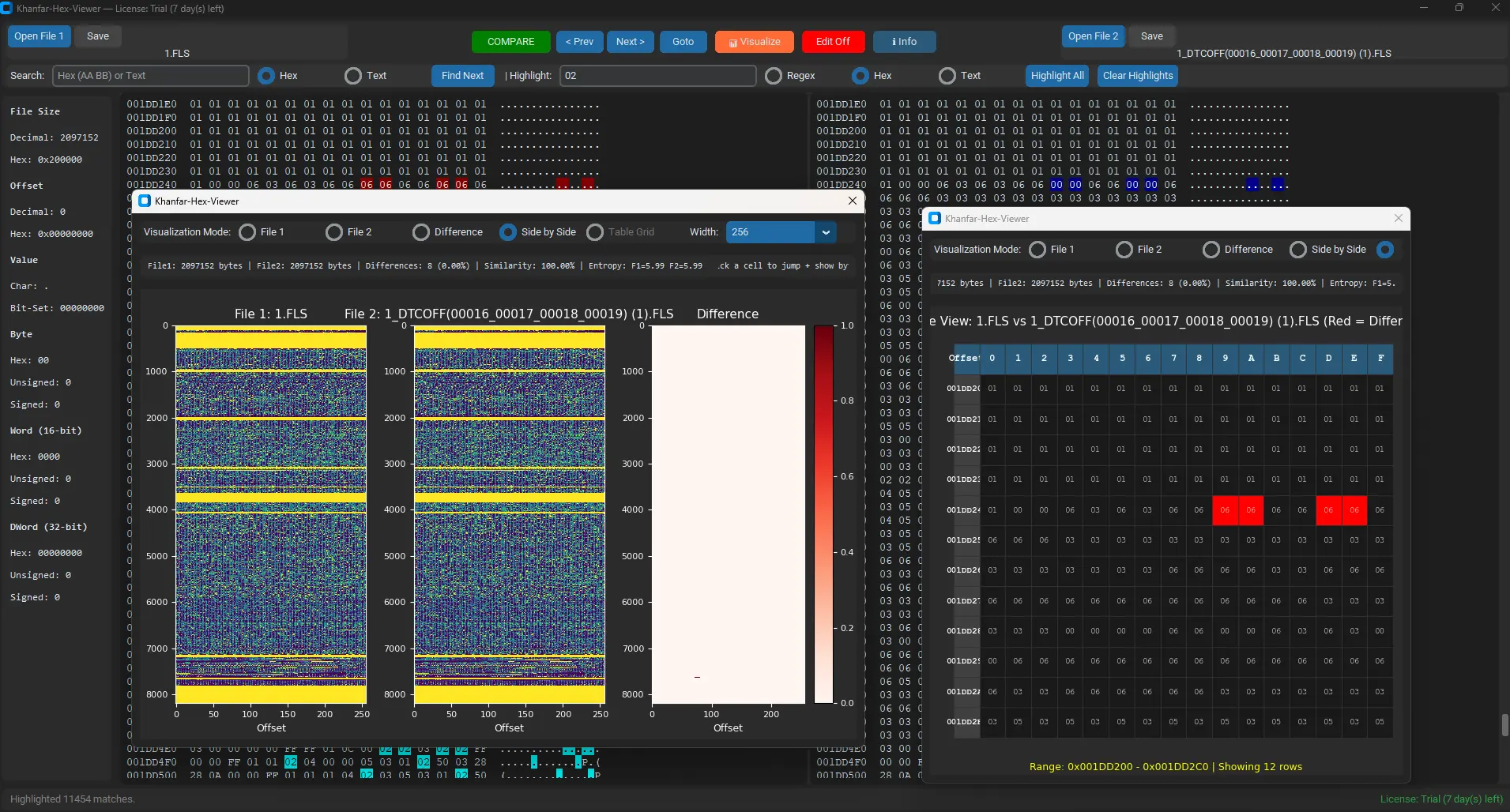
Khanfar-Hex-Viewer is an advanced multi-panel hex editor designed for deep binary analysis, ECU tuning workflows, firmware investigation, patching, reverse engineering, and byte-level debugging. It supports dual-file comparison, diff navigation, range visualization, and interactive heatmaps.
Core Features
Everything you need in one place: load, compare, highlight, edit, visualize, and export binary data.
Load Two Files in Parallel
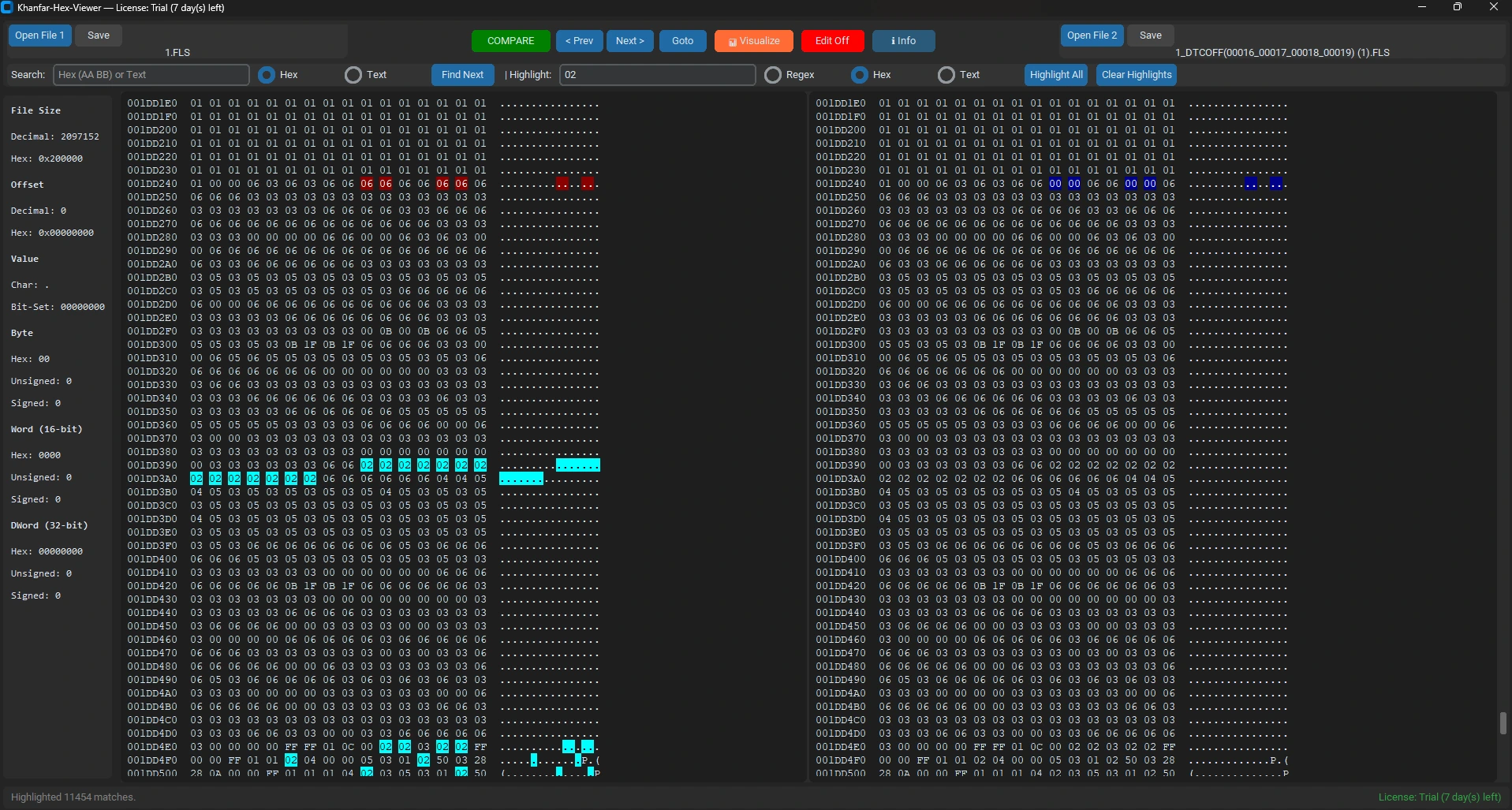
Open File1 and File2 and view them in synchronized scrolling panels with offsets, hex bytes, and ASCII representation.
Compare and Highlight Differences
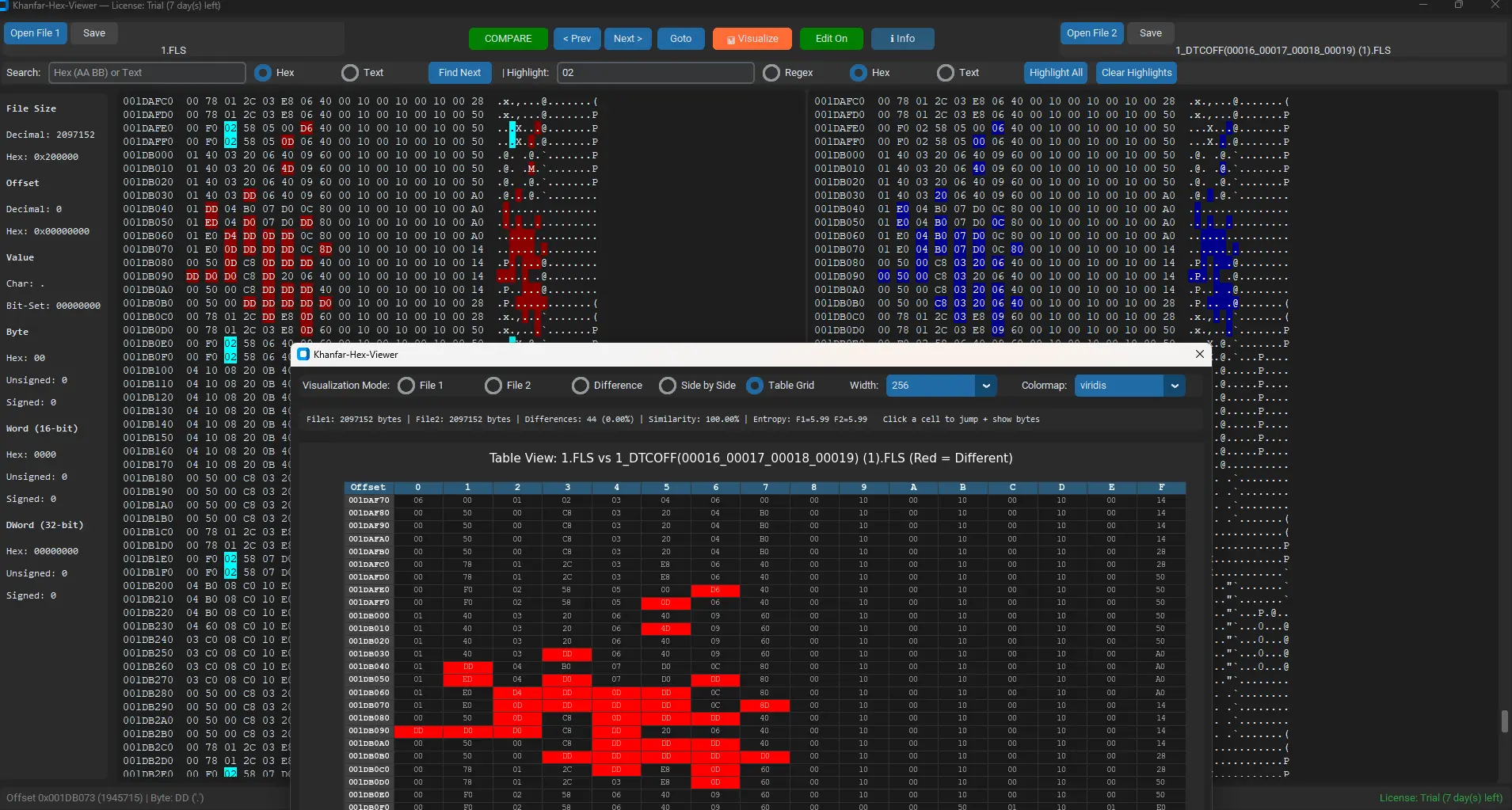
Compare both files and automatically highlight differing bytes. Navigate forward/backward through differences with Prev/Next.
Search Hex or Text Patterns
Search for byte sequences (hex) or plain text and jump directly to matches. Uses cursor-based continuation + restart option.
Highlight All Matches
Highlight patterns across the file using Regex mode (binary regex via UTF-8), Hex mode, or Text mode — then clear highlights anytime.
Offset + Value Inspector
Shows decimal and hex offsets, byte values (signed/unsigned), bit-set view, and also Word/DWord decoding in real time.
Edit Hex Bytes or ASCII
Turn Edit Mode ON and modify the file directly. Editing updates both hex and ASCII view, writes into memory, then you can Save.
Interface Showcase
Six images from your pic folder are displayed here as real product screenshots.
How to Use Khanfar-Hex-Viewer
A clean, step-by-step tutorial that matches the actual workflow inside your program.
Use the Open File 1 and Open File 2 buttons. Each file loads as bytes and renders into hex + ASCII lines.
Click COMPARE. The software scans both files byte-by-byte and highlights differences in each panel.
Use < Prev and Next > to jump between diff offsets. The current byte is highlighted for visibility.
Choose Hex or Text, write your pattern, and press Enter or Find Next. It jumps to matches.
Write a pattern and click Highlight All. You can highlight hundreds of matches and clear them anytime.
Turn Edit On. Modify bytes directly in Hex or ASCII zones. When done, click Save to export your patched file.
Visualization Window (Your Most Powerful Feature)
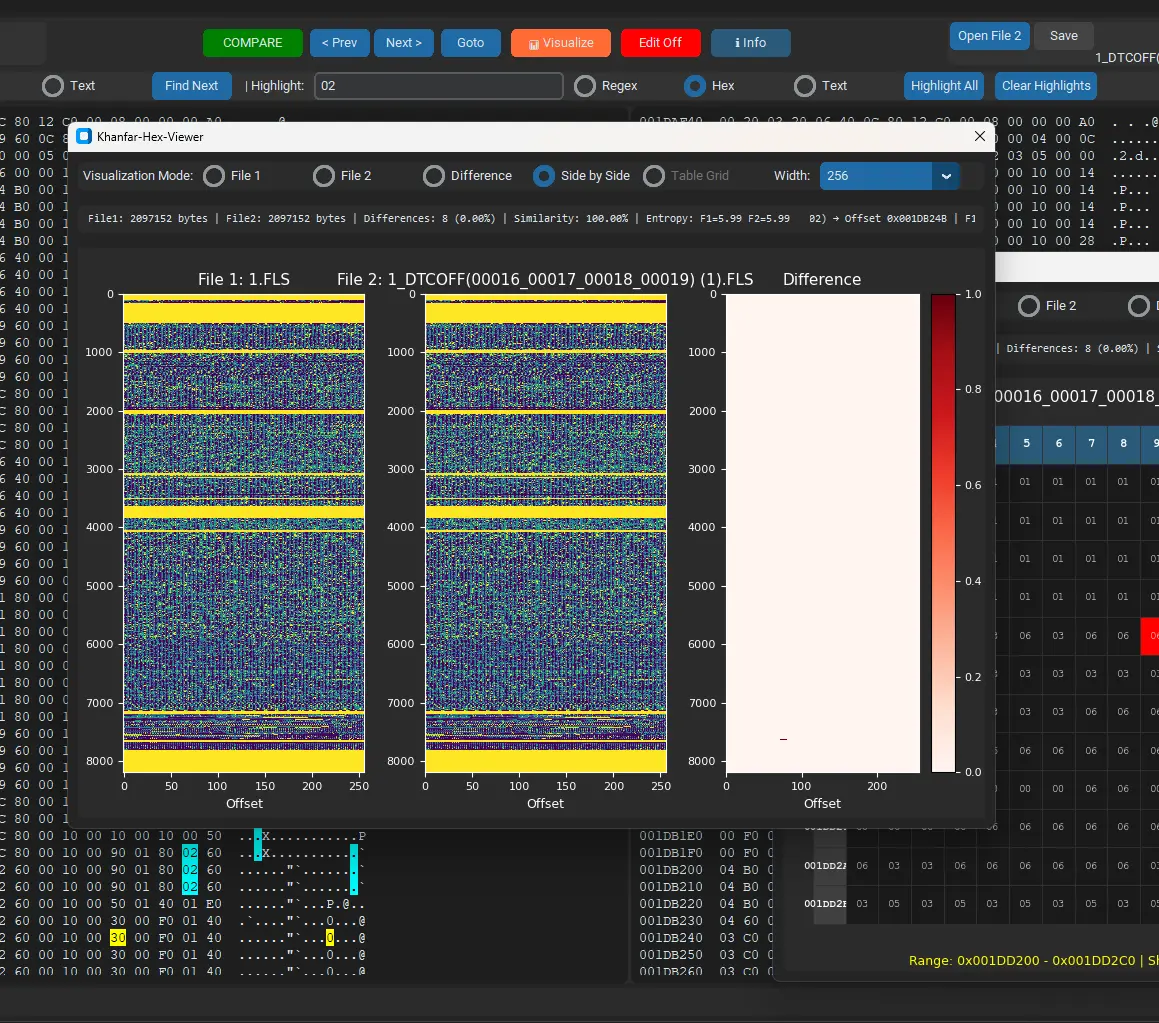
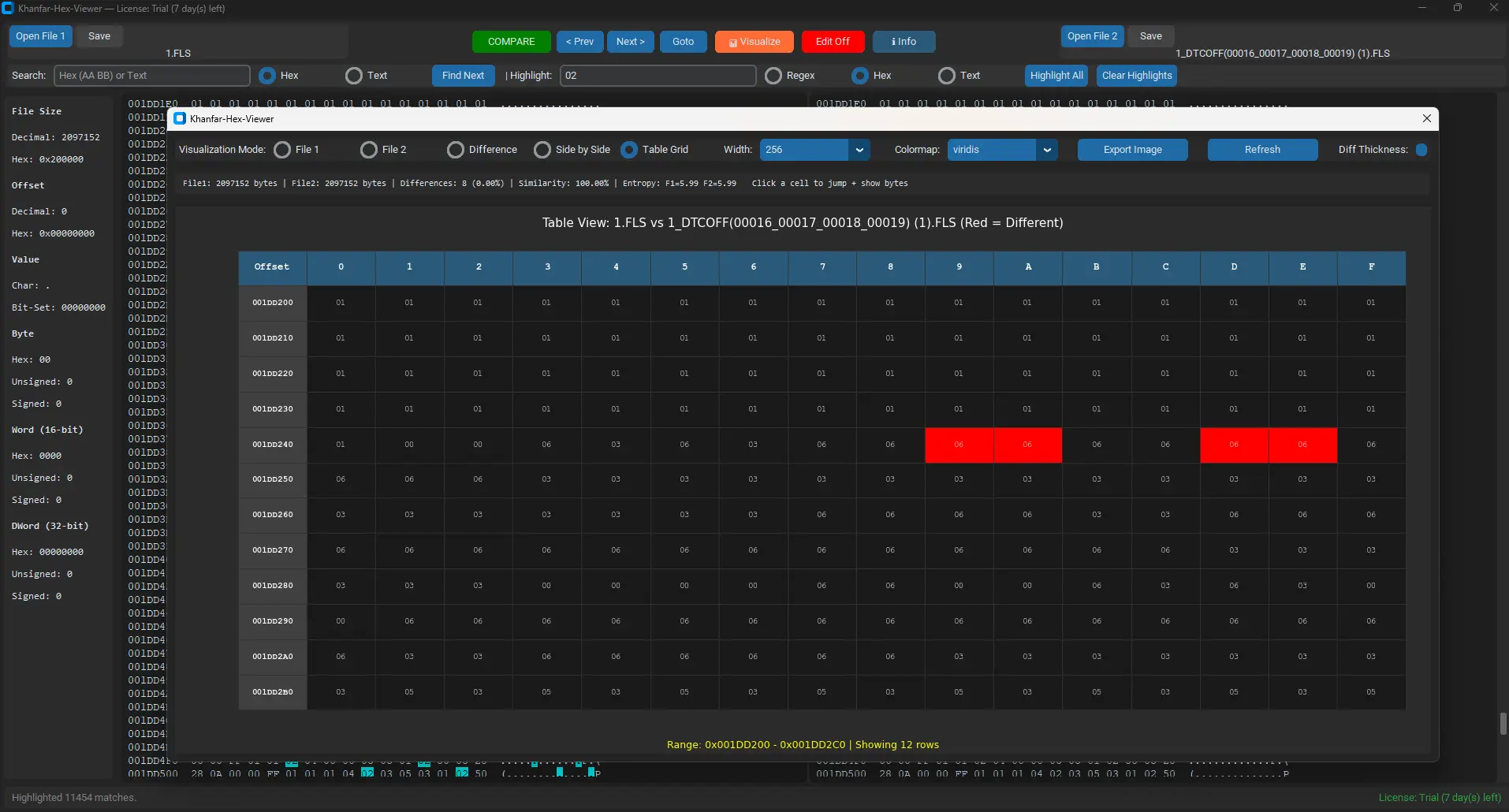
The visualization module turns bytes into 2D arrays and renders them using heatmaps + statistics — with multiple modes.
📊 File Heatmap Mode
Visualize File 1 or File 2 as a color-mapped matrix of byte values. Adjustable width + colormap options.
🔥 Difference Heatmap Mode
Visualize differences using a “diff mask”. You can control thickness (dilation radius) so tiny diffs remain visible.
🧩 Side-by-Side Mode
Displays File1, File2, and Diff simultaneously for a complete binary comparison overview.
🧾 Table Grid Mode
Shows a spreadsheet-style table view for selected ranges (≤ 20,000 bytes). Highlights differences in bright red.
🎯 Click-to-Jump Bytes
Click any cell on the heatmap and it jumps to that exact offset in the main editor and shows byte values.
📈 Entropy + Similarity Stats
Computes file entropy and similarity percentage based on differing bytes + size difference for quick analysis.
2-Day Free Trial & Pricing
Try Khanfar-Hex-Viewer free for 2 days with access to many features. After trial, purchase a lifetime license for $40 with support and updates included.
License Benefits: Lifetime access, free updates, email support, and priority feature requests.
FAQ
Common questions about what your tool can do.
Can I edit files and save changes safely?
Yes. When Edit Mode is ON, you can modify bytes either in the hex section or the ASCII section. Then save to a new output file.
What types of patterns can I search or highlight?
You can search using Hex byte sequences or Text. You can also highlight using Regex, Hex, or Text for multiple matches.
Why is Table Grid mode disabled sometimes?
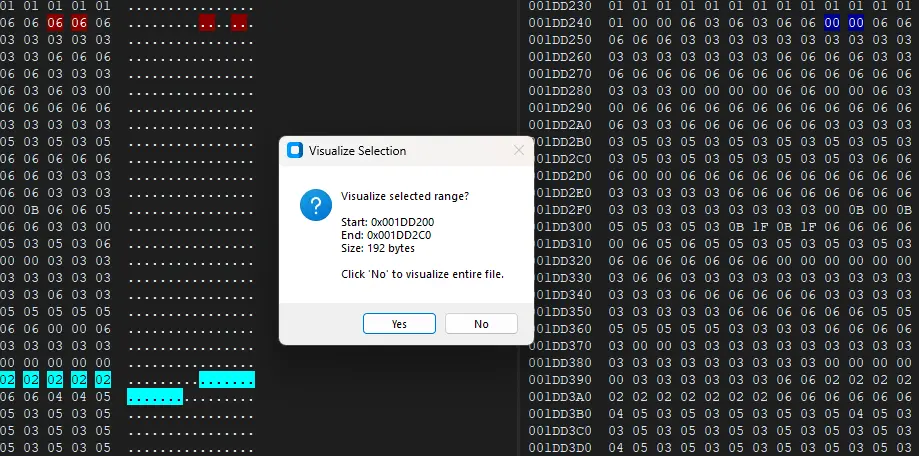
Table Grid is limited to ≤ 20,000 bytes for safety and performance. Select a smaller byte range before opening visualization.
Does it support large files?
Yes, but your app warns the user for files larger than 5MB. Visualization and grid table will always be limited to prevent freezing.
What is entropy / similarity and why do I need it?
Entropy helps detect encryption/compression characteristics. Similarity shows how much two files match, including size differences.